
Your Complete Guide to Booking a Ride with QRun in the UK
Booking a ride with QRun is quick, intuitive, and designed to give you a smooth, premium experience from the very first step. Whether you’re heading to the airport, commuting across town, or planning a private hire transfer, this guide walks you through the entire process of booking directly on our website.
Follow the steps below and you’ll be ready to travel with confidence.
Step 1 — Enter Your Ride Details
This is where your journey begins. QRun keeps things simple and clear, so you can set up your ride in just a few steps.
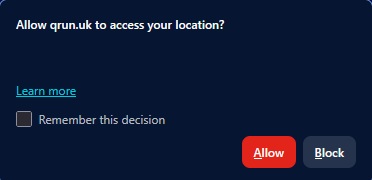
1. Allow location (optional)
If you choose to share your location, QRun can detect your position automatically.
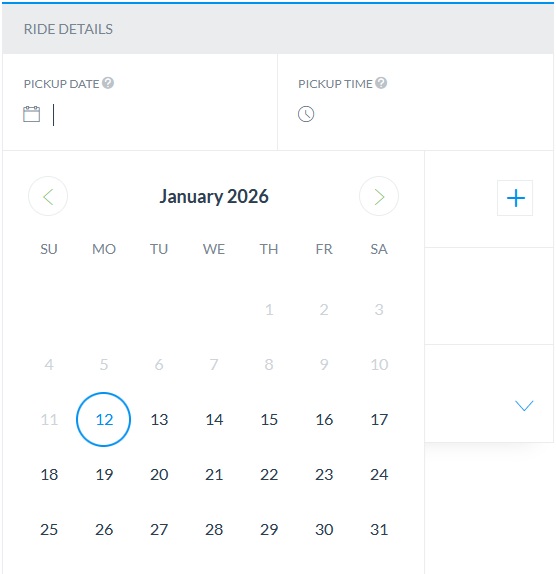
2. Select your pickup date
Choose the day you want to travel using the calendar.
3. Choose your pickup time
Select the exact time you want your driver to arrive.
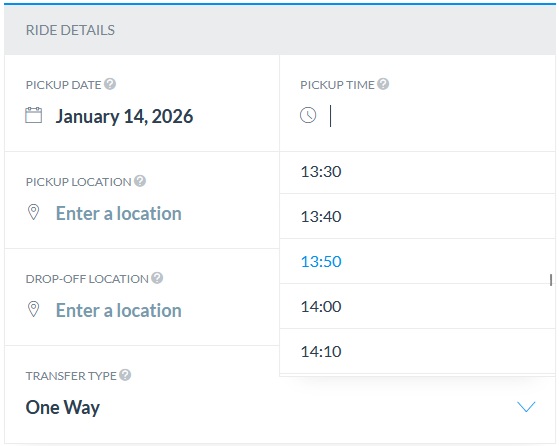
*This is a 24-hour pickup time – choose the correct hour!
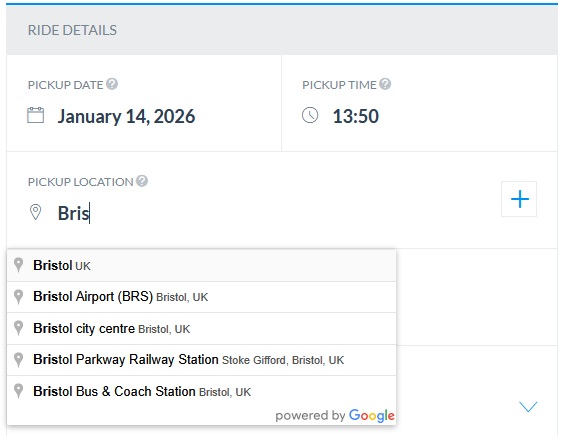
4. Enter your pickup location
Type your pickup address or select it from suggestions. You can also add waypoints for multi-stop journeys.
5. Add your drop-off location
Enter your destination to generate your fare estimate.
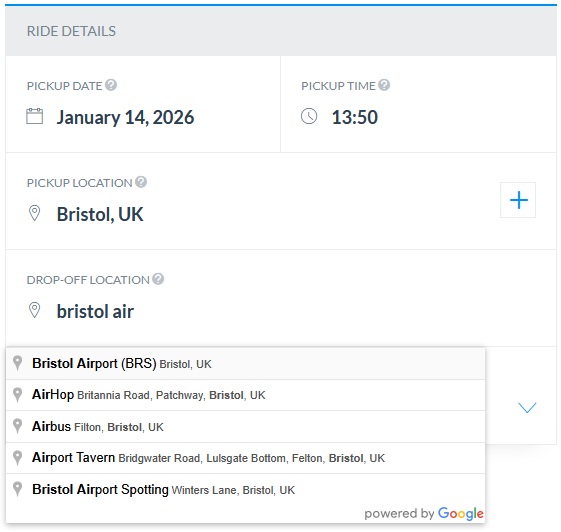
6. Transfer type
The system defaults to One Way for a simple and clear booking experience.
Step 2 — Choose Your Vehicle
Now it’s time to pick the vehicle that suits your journey. QRun offers a clean, premium selection designed for comfort, space, and reliability.
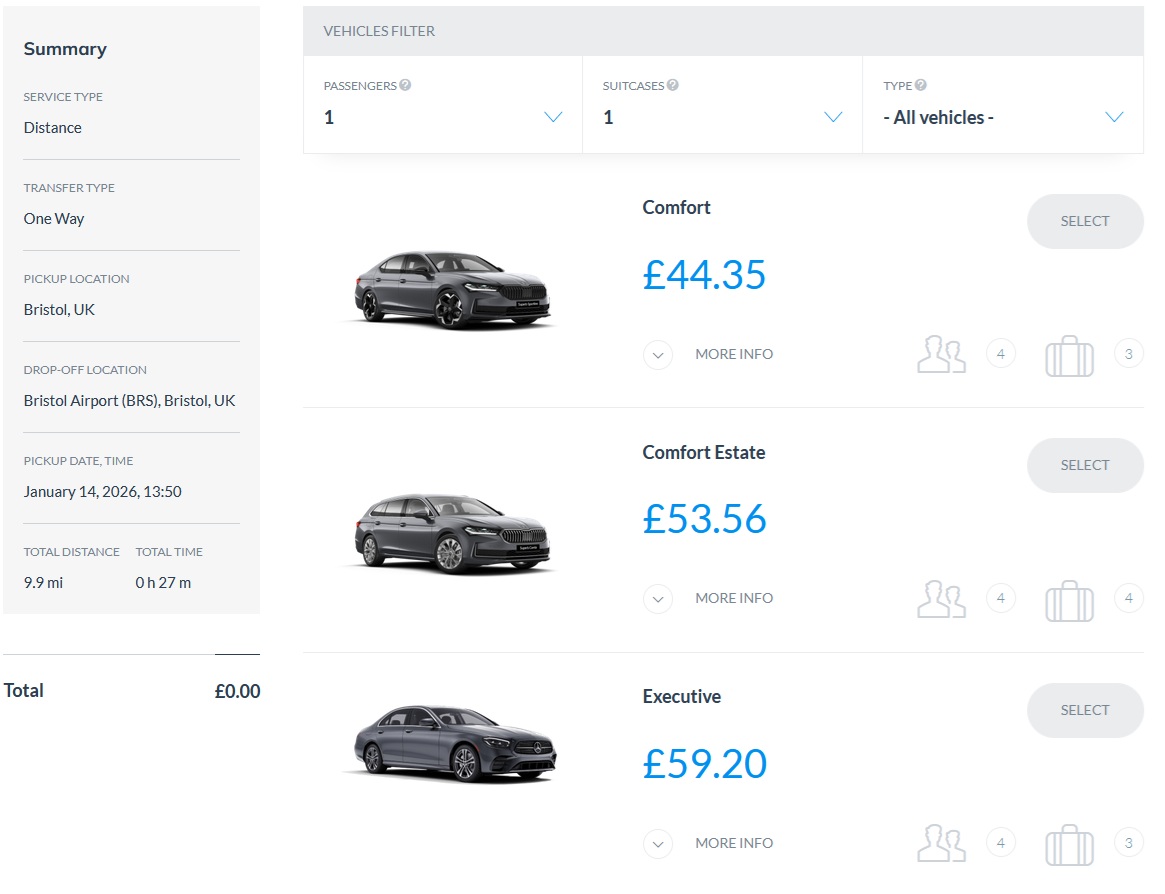
Passengers
Select how many people are travelling.
Suitcases
Choose how many bags you’re carrying.
Vehicle type
- Sedan – ideal for most standard rides.
- Estate – perfect for extra luggage space.
Vehicle classes
Comfort
Skoda Superb, VW Passat or similar. Up to 3 passengers + 3 suitcases.
Comfort Estate
Skoda Superb Estate, VW Passat Estate or similar. Up to 4 passengers + 4 suitcases.
Executive
Mercedes E-Class or similar. Up to 3 passengers + 3 suitcases.
Step 3 — Contact Details & Secure Payment
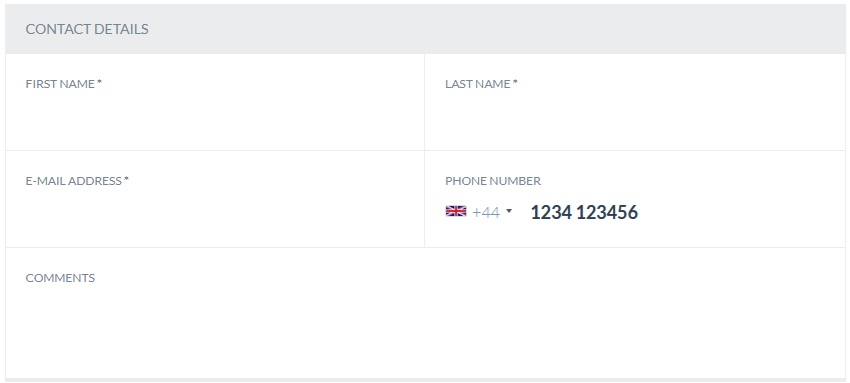
Contact details
Enter your first name, last name, email, phone number and any optional comments.
Billing address
You can untick this option if it’s not required.
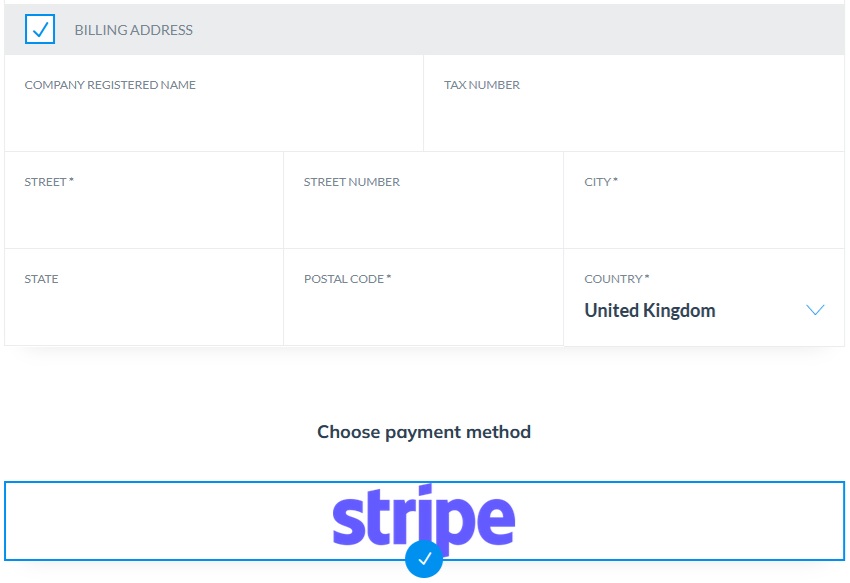
Secure payment with Stripe
QRun uses Stripe, a globally recognised and fully encrypted payment platform.
- Secure and encrypted
- Trusted worldwide
- Supports all major cards
- Instant booking confirmation
Key Benefits of Booking a Ride with QRun Online
- Instant fare estimates
- Licensed, professional drivers
- Multiple vehicle classes
- 24/7 availability
- Airport-friendly service
- Cashless, secure payments
- Real-time updates
- Easy online booking
Frequently Asked Questions
No. You can book directly on our website without creating an account.
Yes. QRun supports both instant and pre-booked rides.
Yes. You can add waypoints during the Ride Details step.
Yes. All QRun drivers are fully licensed and vetted.
Yes. Stripe is globally recognised and fully encrypted.
You can also book rides through the QRun mobile app, but this guide focuses on booking directly from our website.